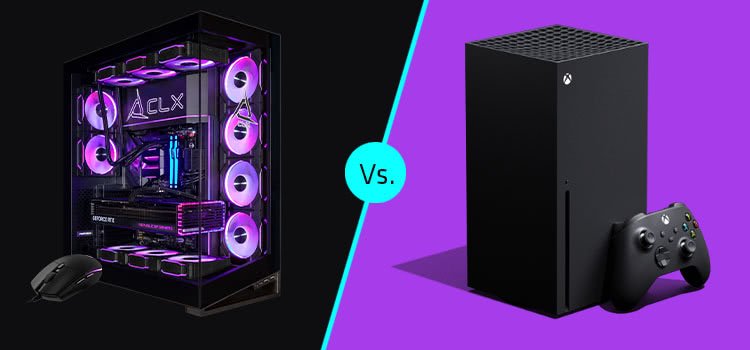

Gaming has grown into a major hobby for millions of people around the world. Whether you play casual games or compete in high-stakes matches, the hardware in your setup plays a big part in how well everything runs and how much you enjoy it.
This post breaks down the key pieces of gaming hardware, like the CPU, GPU, RAM, storage, monitors, and more. It shows how each one influences speed, smoothness, and overall fun. By understanding these elements, you can make better choices when building or upgrading your system. The goal here is to give you practical advice based on real-world effects, so you avoid common pitfalls and get the most out of your games. We’ll look at examples from current tech in 2025 to keep things up to date.
Many gamers start with a basic setup but soon notice issues like lag or low frame rates. Hardware directly fixes these problems by handling tasks more efficiently. For instance, a strong CPU manages game calculations quickly, while a good GPU renders sharp images without delays.
This guide goes beyond basics to explain why these components matter and how to pick them. You’ll learn about bottlenecks, where one weak part holds back the rest, and tips to balance your build. In the end, better hardware leads to fewer frustrations and more immersive sessions, whether you’re exploring open worlds or battling online.
The Role of the CPU in Gaming
The central processing unit, or CPU, acts as the brain of your computer. In games, it handles logic, physics, and AI behaviors. A fast CPU means characters move naturally, environments react in real time, and multiplayer syncs without hitches. If your CPU is too slow, you’ll see stutters even if other parts are strong. This happens because games today use multiple cores for tasks like running background apps or streaming. For example, in strategy games with lots of units, a weak CPU can drop frames, making controls feel sluggish and reducing your reaction time.
Bottlenecks often occur when the CPU can’t keep up with the GPU. This leads to uneven performance, where your system runs at full speed in simple scenes but slows in complex ones. To spot this, check usage stats— if the CPU hits 100% while the GPU sits at 50%, that’s a sign. Upgrading to a model with more cores helps. In 2025, options like the AMD Ryzen 7 9800X3D stand out for top gaming due to its 3D V-Cache tech, which boosts speed in demanding titles. It handles high resolutions and ray tracing without breaking a sweat, improving both solo and online play.
For budget builds, the AMD Ryzen 5 7600X offers solid value. It has six cores that manage most games at 1080p or 1440p. Pair it with fast RAM to avoid slowdowns. Remember, CPUs also affect multitasking—if you alt-tab often or run voice chat, extra threads make a difference. Overclocking can squeeze more performance, but it requires good cooling to prevent heat issues. Overall, a balanced CPU choice turns choppy sessions into fluid ones, letting you focus on strategy instead of waiting for loads.
Also, read about Artificial Intelligence.
The Impact of the GPU on Graphics and Speed
The graphics processing unit, or GPU, focuses on rendering visuals. It calculates pixels, lighting, and effects to create what you see on screen. A powerful GPU delivers high frame rates, smooth animations, and detailed textures, which make games feel alive. Without it, even simple scenes look blurry or run slowly, pulling you out of the moment. In fast-paced shooters, low GPU power causes input lag, where your actions don’t register right away, hurting your scores.
Modern GPUs support features like DLSS or FSR, which use AI to upscale images for better quality at lower costs. This means you can play at 4K without dropping below 60 FPS. For 2025, the Nvidia RTX 5070 Ti excels in mid-range setups, handling ray-traced lighting in games like Cyberpunk 2077. It balances power and price, avoiding overkill for most users. If you’re on a budget, the RTX 5060 still pushes 1440p gaming with decent settings.
VRAM matters too—more memory lets you crank up textures without crashes. In open-world games, insufficient VRAM leads to pop-in, where objects appear suddenly. Aim for at least 12GB in new cards. GPUs also influence heat and noise; efficient models stay cool under load. By choosing wisely, you get vibrant worlds that immerse you fully, turning average play into memorable adventures. Test with benchmarks to match your needs.
RAM and Its Effect on Smooth Gameplay
Random access memory, or RAM, stores data for quick access during play. It keeps game assets loaded, so transitions happen fast. Low RAM causes stutters as the system swaps data to storage, interrupting flow. In multiplayer, this delay can mean missed opportunities. Most games in 2025 need 16GB minimum, but 32GB handles extras like browsers or recording software without issues.
Speed counts—DDR5-6000 modules outperform older types by feeding the CPU faster. This reduces frame time spikes, making movement feel consistent. For example, in simulation games with heavy mods, more RAM prevents crashes and speeds up saves. Dual-channel setups double bandwidth, so install in pairs for best results.
Upgrading RAM is easy and cheap, often fixing performance woes instantly. Check your motherboard for compatibility—newer boards support DDR5 for future-proofing. In tests, going from 16GB to 32GB boosts FPS by 10-20% in demanding titles. It also improves multitasking, like streaming while gaming. Avoid mixing sizes or speeds to prevent instability. With enough RAM, your sessions stay seamless, letting you stay in the zone longer.
Storage Solutions for Faster Load Times
Storage holds your games and files, but its speed affects how quickly everything starts. Traditional hard drives (HDDs) spin mechanically, leading to long waits—up to minutes for big worlds. Solid-state drives (SSDs) use flash memory for instant access, cutting times to seconds. This change alone transforms your routine, reducing frustration between levels.
NVMe SSDs connect directly to the motherboard for even faster reads, ideal for open-world titles like Elden Ring. In 2025, 1TB models are affordable, with 2TB covering large libraries. PCIe 5.0 drives push speeds over 10GB/s, but most games max at 7GB/s. Mix SSD for OS and games with HDD for bulk storage to save money.
Quick resumes in consoles highlight SSD benefits—PCs can do the same with fast drives. Check for heat sinks to maintain performance during long sessions. Upgrading storage fixes slow boots and texture loading, making play more engaging. Plan space for updates, as games grow bigger each year.
The Importance of a Good Monitor for Visuals
Your monitor displays the output, so its specs shape what you see. Resolution sets detail—1080p is basic, while 1440p or 4K shows finer elements. High refresh rates, like 144Hz or 240Hz, make motion blur-free, crucial for competitive play. Low rates cause tearing, where frames mismatch.
Response time under 5ms prevents ghosting, keeping fast actions sharp. Panels vary: IPS for colors, TN for speed, OLED for contrast. In 2025, curved ultrawides immerse you in racing or strategy games. Adaptive sync like G-Sync matches GPU output, eliminating stutters.
Size matters—27 inches balances desk space and view. HDR adds depth with brighter highlights. Calibrate for accuracy to match game intent. A mismatched monitor wastes hardware power, so pair with your GPU. Good screens reduce eye strain with flicker-free tech, extending playtime comfortably.
Peripherals That Improve Control and Immersion
Peripherals like keyboards, mice, and headsets connect you to the game. Mechanical keyboards offer tactile feedback for precise inputs, reducing errors in intense moments. Switches vary—linear for speed, clicky for feel. Anti-ghosting ensures all keys register in combos.
Mice need high DPI for accuracy; adjustable weights suit your grip. Low-latency wireless models match wired now. Headsets with surround sound pinpoint footsteps, giving edges in shooters. Noise-canceling mics clear comms. Controllers shine in platformers with vibration feedback.
Ergonomic designs prevent fatigue—wrist rests and adjustable stands help. RGB lighting aids key finding in dark rooms. In 2025, haptic tech in mice simulates textures. Choose based on genre: FPS needs quick mice, RPGs benefit from macro keys. Quality peripherals turn inputs into instincts, boosting scores and fun.
Cooling and Power Supply for Reliable Performance
Cooling keeps components from overheating, which causes throttling—slowing down to protect hardware. Air coolers use fans, while liquid systems handle high loads quietly. Poor cooling leads to crashes or reduced lifespan. Monitor temps under 80°C for safety.
Power supplies (PSUs) deliver stable energy; 80+ Gold ratings ensure efficiency. Undersized units cause shutdowns during peaks. Modular cables tidy builds. In 2025, 850W covers most rigs with room for upgrades.
Case airflow matters—mesh fronts pull in cool air. Add fans for positive pressure to reduce dust. Stress test new builds to check stability. Good cooling and power maintain peak speeds, preventing dips that ruin immersion. Invest here for long-term reliability.
Tips for Choosing or Upgrading Hardware
Start by assessing your current setup with tools like MSI Afterburner for bottlenecks. Set a budget—mid-range parts like Ryzen 7 and RTX 5070 offer great value. Research compatibility; AM5 sockets future-proof AMD builds.
Buy from trusted sites for warranties. Pre-builts like Corsair Vengeance i7600 simplify for beginners. Upgrades: Swap GPU first for quick gains. Balance parts to avoid waste. Read reviews for real-user feedback. Consider power draw for bills. These steps lead to a system that grows with you.
Conclusion
Hardware shapes every aspect of gaming, from raw speed to personal comfort. A strong CPU and GPU drive performance, while RAM and storage ensure smoothness. Monitors and peripherals add polish, and cooling keeps it all running. By focusing on balance, you create setups that perform well and feel great. Use this guide to spot weaknesses and plan upgrades. In 2025, options abound for all budgets, so start small if needed. Better hardware means more wins, deeper stories, and lasting enjoyment. Keep learning as tech advances to stay ahead.